Restaurant operators keep dealing with tech that promises efficiency yet turns into extra clicks, new chores, and another subscription fee on the books.
Only a small group of platforms consistently earns its spot by cutting manual work, protecting margin, and keeping daily operations from fraying when service gets loud.
With foodservice sales projected to reach $1.5 trillion in 2025 and restaurant employment pushing toward 15.9 million, every tool that saves labor or controls food cost matters.
The pressure is real, and the tools that pay back their cost tend to prove it fast.
What “Worth Using” Really Looks Like

A tool earns trust through outcomes you can feel during a normal week, not through a glossy demo. The strongest signs are simple.
- Fewer hours spent on scheduling, inventory counts, invoice entry, or payroll prep
- Less leakage from spoilage, over-portioning, overtime creep, or sloppy receiving
- Faster service and fewer order mistakes across all shifts
- Reporting that no longer requires spreadsheet gymnastics
- Stability during rush periods, staff turnover, or shaky Wi-Fi
Governance frameworks from the Governance Hub can help you define which metrics truly represent value, not just flashy features.
Food waste alone shows how much margin slips away. ReFED’s 2024 report, updated in 2025, estimates that 31 percent of the U.S. food supply goes unsold or uneaten. They place the value of surplus food in 2023 at $382 billion.
Restaurants are a piece of that picture, and the drivers show up in daily operations. Bad pars. Prep drifting from recipe specs. Vendor price changes. Poor visibility across the purchasing cycle. Tech that cannot help fix those habits rarely pays for itself.
A tool that saves margin or saves time is useful. A tool that can do both consistently deserves a long-term spot.
The POS Problem Operators Keep Running Into
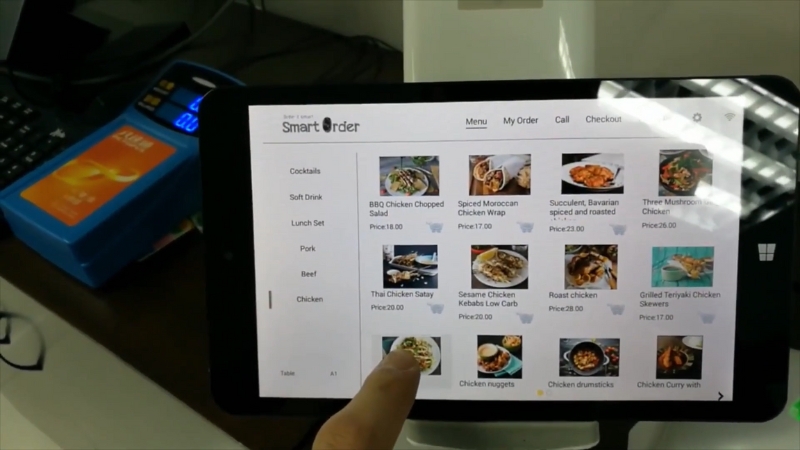
Many owners pick a POS with the hope that it will magically run the entire business. That rarely plays out. The POS acts as the central hub. It is not the full operating system.
Patterns that cause frustration show up everywhere.
- Disjointed systems that never share data
- Modules purchased but never rolled out
- Great dashboards fed by unreliable recipe data or messy vendor catalogs
- Duplicate entry between POS, payroll, scheduling, and accounting
- A general manager who becomes the unofficial in-house IT department
Industry surveys suggest operators are intentionally investing in core systems, especially POS, inventory, and labor tools, as part of broader profitability goals.
Cutting operating costs and controlling labor remain top priorities. A POS helps, but only as one part of a connected stack.
A more effective approach is straightforward. Choose the POS for the workflow and service model. Then layer in inventory and scheduling tools that connect cleanly without duplicating effort.
POS Systems That Consistently Deliver Value
Below are platforms that frequently prove themselves in real service environments. Each one fits a different operating profile.
Toast
Best fit: High-volume quick service, fast casual, or full-service operators that want a restaurant-first platform with deep ecosystem support.
Why It Tends to Be Worth Using
Toast was built around restaurant workflows. It offers broad integrations and a large add-on library. Inventory, invoice automation, kitchen tools, labor features, and online ordering all connect into a single platform.
The value shows when operators want a unified system rather than piecing together separate products.
Watch-Outs
Costs can stack up quickly. Online ordering, loyalty, inventory, payroll, and reporting modules all add to the bill. If you prefer best-in-class third-party tools, there is a risk of paying for overlapping features.
Square for Restaurants
Best fit: Small to mid-size operations that want easy setup, reliable payments, and clean workflows without heavy IT overhead.
Why It Tends to Be Worth Using
Square’s restaurant POS supports both counter service and multi-location setups. Hardware remains simple, flexible, and affordable.
A $399 handheld device gives teams a quick way to serve lines or handle tableside payments without a bulky terminal.
Watch-Outs
Advanced inventory tools depend on the plan level. Some operators with deep prep structures or commissary models migrate to dedicated inventory tools over time.
Full-service operators should test coursing and kitchen pacing in a real shift, not in a quiet demo.
Lightspeed Restaurant
View this post on Instagram
Best fit: Operators who prioritize strong reporting, multi-location controls, and flexible workflows, especially on iPad-based setups.
Why It Tends to Be Worth Using
Lightspeed offers a wide ecosystem, kitchen display tools, and detailed reporting. Many multi-unit groups like the granular controls. Kitchen display screens often become a strong operational win by reducing ticket chaos and improving pacing.
Watch-Outs
More flexibility can mean more setup time. Menu building, modifiers, and staff training require focused effort.
TouchBistro
Best fit: Full-service restaurants that want tableside workflows and a floor plan structure built around classic service flow.
Why It Tends to Be Worth Using
TouchBistro emphasizes tableside ordering, server workflows, and floor-plan efficiency. These strengths match the daily reality of full-service operations where speed and accuracy depend heavily on the server’s flow.
Watch-Outs
Inventory depth varies by configuration. If you care about theoretical vs actual usage, vendor pricing automation, or detailed purchasing flow, you may still want a dedicated inventory tool.
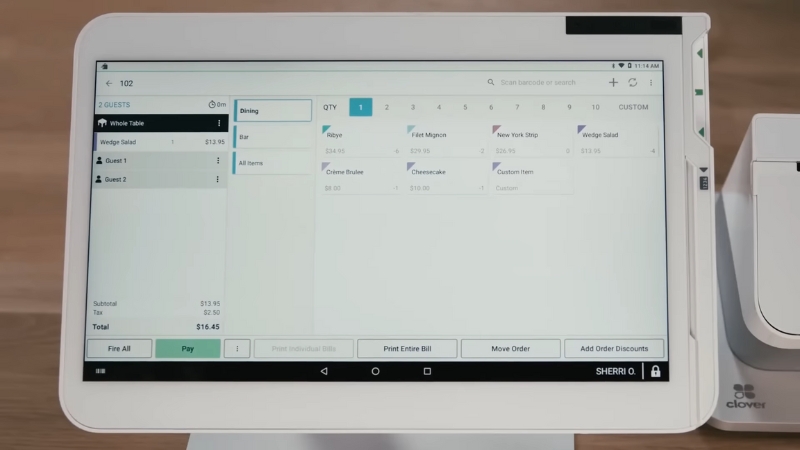
Clover (restaurant configurations)
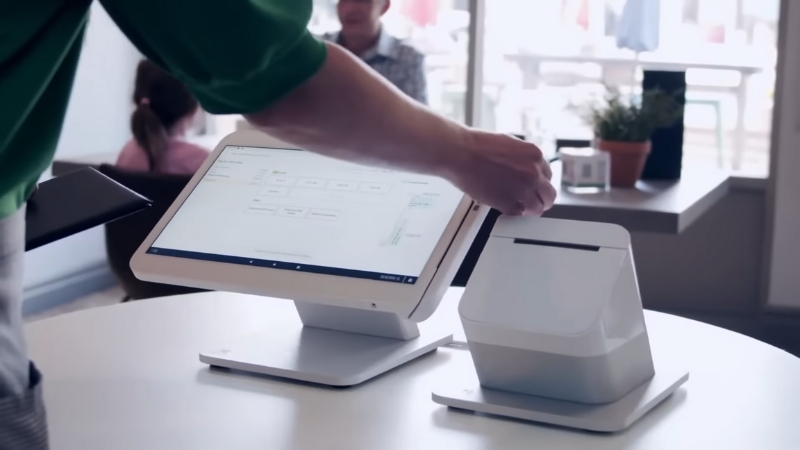
Best fit: Smaller restaurants that want a payment-forward POS with restaurant-ready features and an app marketplace for customization.
Why It Tends to Be Worth Using
Clover supports routing, table mapping, and category-specific menu flows. Its marketplace approach lets operators add inventory or scheduling extensions as needed.
Watch-Outs
App quality varies. Validate support responsiveness and integration stability before committing long-term.
Inventory Tools that Actually Pay for Themselves
Inventory control rarely gets the spotlight, yet it is where most restaurants leak margin. The tools that work best handle three boring but vital tasks:
- Invoice capture without manual typing
- Recipe costing tied directly to real vendor pricing
- Visibility into theoretical versus actual usage
A POS can track basic stock, but the real wins come from linking purchasing with usage. Below are platforms that tend to deliver that value.
xtraCHEF by Toast
Ensure your guests can enjoy their delicious meal regardless of where they’re dining by creating an online ordering menu with food that travels well. https://t.co/KOf05zn6Gm
— xtraCHEF by Toast (@xtraCHEF) August 3, 2021
Best fit: Restaurants that want to eliminate invoice data entry and gain a steady grip on food cost without building an internal accounting team.
Why It Tends to Be Worth Using
xtraCHEF automates invoice ingestion, vendor price tracking, unit conversions, and ingredient catalog maintenance. It helps operators shift from reactive costing to proactive decisions supported by accurate data.
Watch-Outs
If vendor catalogs are messy or recipes stay outdated, even the best automation cannot prevent drift. Data hygiene becomes a key part of the process.
MarginEdge
Best fit: Multi-unit operators and single-location restaurants seeking real-time food cost insights, invoice automation, and tight POS and accounting sync.
Why It Tends to Be Worth Using
MarginEdge builds a clean bridge between purchasing, inventory, labor, and accounting. Operators get daily insight into usage, waste, and price changes. Instead of waiting for a monthly close, they can act during the period.
Watch-Outs
Success depends on consistent receiving habits, accurate recipe builds, and disciplined inventory counts.
MarketMan
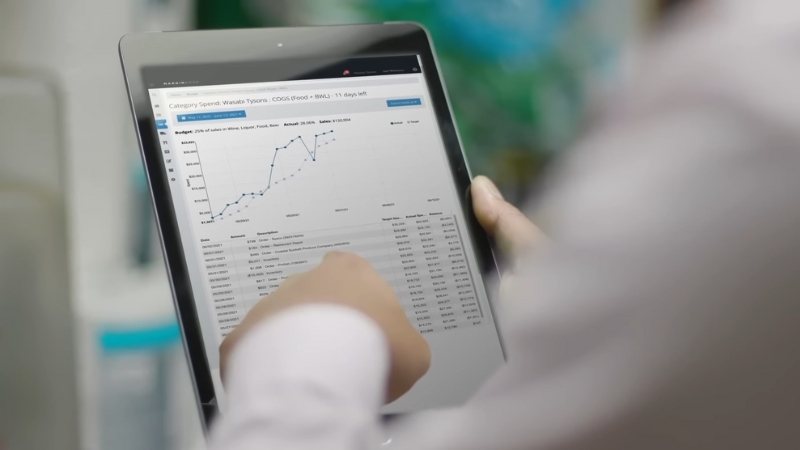
Best fit: Operators who want vendor management, purchasing, inventory, theoretical usage, and recipe costing in one focused platform.
Why It Tends to Be Worth Using
MarketMan connects suppliers, POS, and accounting software into a single operational spine. Costing stays accurate when invoices feed directly into recipe builds and price updates.
Watch-Outs
Recipes must match real kitchen behavior. If line cooks eyeball portions or drift from spec, variance becomes misleading.
Restaurant365
Best fit: Multi-unit groups that want accounting, inventory, and labor tools combined into one ecosystem.
Why It Tends to Be Worth Using
Restaurant365 combines accounting with operational workflows. It cuts double entry, replaces spreadsheets, and unifies reporting across stores.
Watch-Outs
Large platforms require bandwidth to implement. Without clear ownership for rollout and training, the system never reaches its full value.
WISK
Best fit: Bars and beverage-heavy concepts where liquor variance has a major financial impact.
Why It Tends to Be Worth Using
WISK integrates with major POS platforms and offers real-time beverage inventory insight. Pour cost, variance, and usage become visible at a level that helps teams tighten controls quickly.
Watch-Оuts
Beverage control only works with a consistent counting cadence. If counts are skipped or rushed, the value fades.
Scheduling Tools That Save Time and Prevent Expensive Labor Mistakes
Scheduling platforms become valuable when they cut planning hours, guard against labor overages, and reduce disruptions that pull managers away from guests. The strongest features tend to include:
- Forecast-based scheduling tied to sales patterns
- Rules that prevent early clock-ins and overtime creep
- Break and compliance checks
- Shift swaps that do not require a manager to mediate everything
- Payroll exports that do not require cleanup
Below are tools that reliably meet those needs.
7shifts
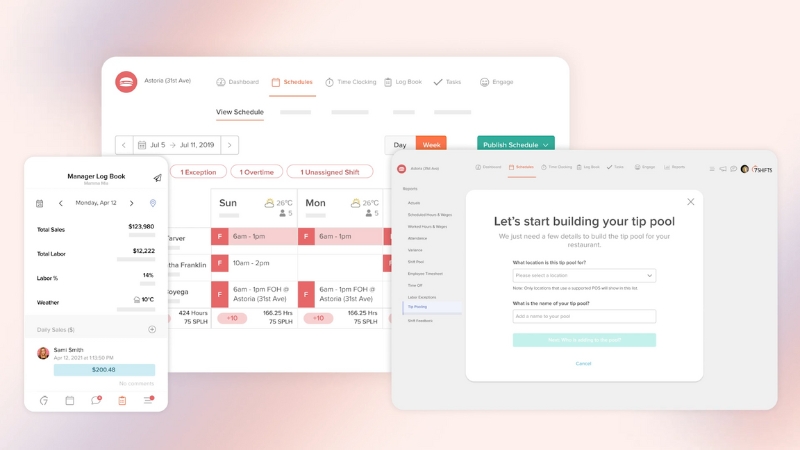
Best fit: Restaurants that want scheduling, team communication, and POS-connected labor planning in one place.
Why It Tends to Be Worth Using
7shifts blends scheduling with forecasting and team messaging. When paired with POS data, it helps managers right-size labor for peak hours without running blind.
Watch-Outs
Forecast quality hinges on accurate historical data, clear job codes, and consistent wage mapping.
HotSchedules (Fourth)
Best fit: High-volume restaurants and multi-unit groups that want deeper forecasting, workforce planning, and labor controls.
Why It Tends to Be Worth Using
HotSchedules focuses on time savings, automated scheduling, and tighter forecasting. Groups with large staffs often see the strongest payoff.
Watch-Outs
Smaller restaurants may find it heavy for their needs. Simpler teams often prefer lightweight tools.
Homebase
View this post on Instagram
Best fit: Small restaurants with hourly teams that want scheduling, time tracking, payroll, and messaging in one unified package.
Why It Tends to Be Worth Using
Homebase offers a straightforward path from scheduling to payroll without double entry. It suits independent restaurants with limited admin hours.
Watch-Outs
Integrations matter. If your POS or payroll setup does not sync cleanly, you lose most of the benefit.
When I Work
Best fit: Teams that want simple scheduling paired with clean time tracking and messaging.
Why It Tends to Be Worth Using
When I Work offers a smooth blend of scheduling and time clock tools plus labor forecasting. It fits operators who want fewer decisions during setup.
Watch-Outs
If you need advanced restaurant-specific logic like tip pooling or complex compliance rules, test carefully before committing.
Deputy
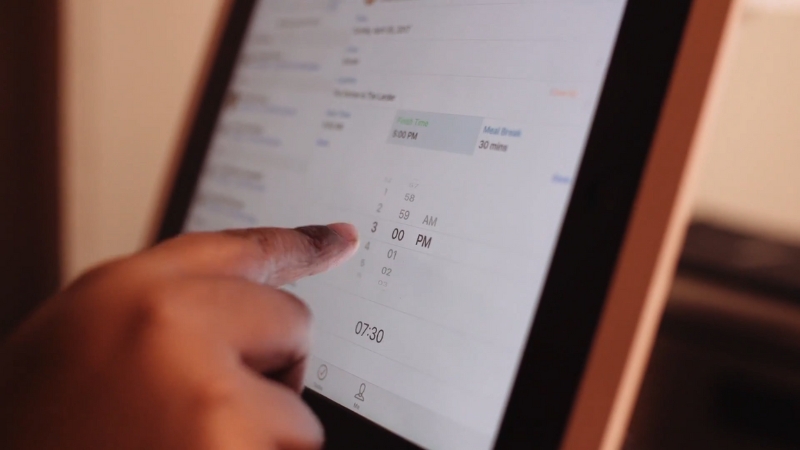
Best fit: Hospitality groups that want scheduling, time clock, forecasting, and compliance tools in one system.
Why It Tends to Be Worth Using
Deputy helps enforce break rules, control early clock-ins, and keep labor aligned with sales trends. Managers gain a clear view without building custom spreadsheets.
Watch-Outs
Time clocks only work well when rules are enforced consistently. Policy without accountability creates payroll noise.
Practical Stack Setups That Work In the Real World
Here are common patterns that avoid tool overload and minimize duplicate entry.
Pattern 1: Independent Counter Service or Small Fast Casual
- POS: Square for Restaurants
- Scheduling: Homebase or When I Work
- Inventory: Start with POS basics, then add xtraCHEF or MarginEdge when volume grows.
- Why it works: Low-friction setup, easy staff onboarding, clean payments, and a cost footprint that scales slowly.
Pattern 2: Full-Service Restaurant With Servers and a Busy Kitchen
- POS: Toast or TouchBistro
- Scheduling: 7shifts
- Inventory: MarginEdge or xtraCHEF
- Why it works: Tableside workflows pair well with dedicated inventory and labor tools that catch leakage.
Pattern 3: Multi-Unit Group With Reporting Needs Across Locations
- POS: Toast or Lightspeed
- Inventory and labor: Restaurant365, or HotSchedules plus an inventory platform
- Why it works: All locations feed one reporting spine with less manual reconciliation.
Where the Broader Industry Is Heading
Large brands offer a signpost. Yum Brands continues to scale internal digital systems across thousands of locations, including tools focused on labor planning, inventory visibility, and operational automation.
The lesson is not to copy enterprise systems. The lesson is that serious operators place labor and cost control at the center of their tech investments.
A Simple Selection Checklist That Prevents Painful Mistakes
A few clear steps during evaluation can save thousands of dollars and weeks of frustration.
POS Checklist
- Run a mock rush
- Confirm kitchen routing and expo flow
- Test handhelds and printers
- Test offline behavior
- Verify integrations with inventory, accounting, and scheduling
Inventory Checklist
- Confirm invoice capture methods
- Review unit conversions and vendor catalog rules
- Validate recipe build workflow
- Check theoretical versus actual reporting
- Confirm support for transfers if you run multiple locations
Scheduling Checklist
- Overtime and breaking rules
- Early clock-in prevention
- Forecasting tied to POS data
- Shift swaps and staff messaging
- Payroll export that does not require hand edits
Summary
Restaurant operators do not need more tools. They need tools that genuinely remove work, protect margin, and hold up under real-world conditions.
POS, inventory, and scheduling platforms can deliver that value when chosen with focus, tested in real shifts, and maintained with steady habits. Recipe creators often earn the best fees on platforms with a proven food niche and high-intent buyers.
The right stack does not run the business for you. It removes enough friction that your team can operate with fewer surprises and stronger control over labor and food costs.